
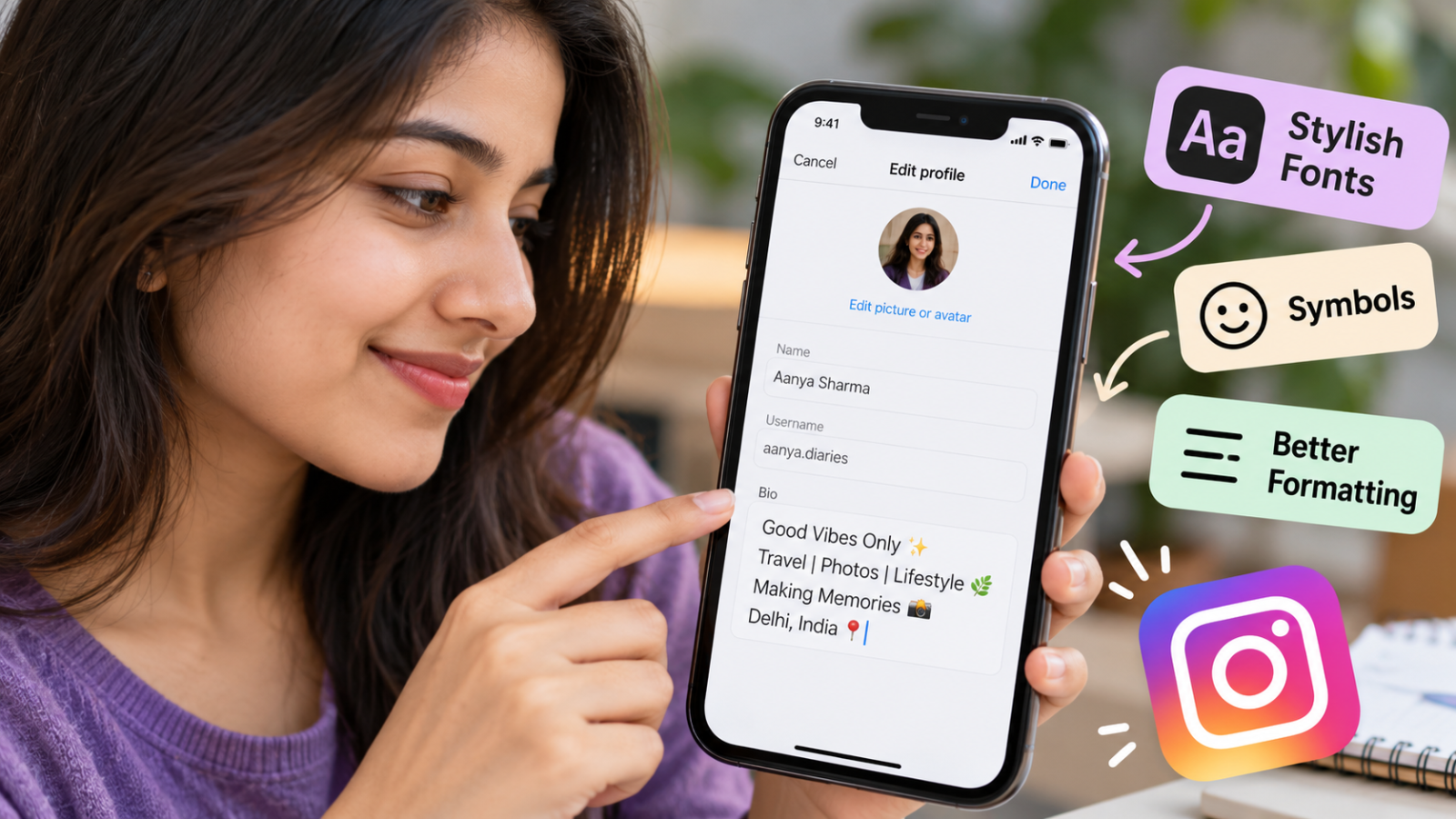
How to Edit Your Instagram Bio with Stylish Fonts, Symbols, and Better Formatting
You can edit your Instagram bio from your profile by opening the profile-editing options, changing the text in the Bio field, and saving your changes. If you want a more distinctive look, you can also paste styled Unicode text, simple symbols, and carefully arranged line breaks into the bio.
The important part is not making every character decorative. A useful bio should still tell visitors who you are, what your account is about, or what you want them to do next. This guide explains how to style your bio without making it difficult to read.
Table of Contents
ToggleHow to Edit Your Instagram Bio with Stylish Fonts and Symbols
Start by writing the information you actually want people to see. Once the message is clear, you can add styling to selected words instead of decorating the entire bio.
Quick Steps to Edit Your Instagram Bio
The exact labels can vary slightly as Instagram updates its app, but the basic process is generally:
- Open Instagram and go to your profile.
- Open the option to edit your profile.
- Find the Bio field.
- Edit your existing text or paste your new bio.
- Add any symbols, spacing, or styled text you want to use.
- Save your changes.
- Return to your profile and check how the finished bio appears.
If you want decorative lettering, create the styled text before pasting it into the Bio field. Fancy-looking Instagram bio fonts commonly rely on Unicode characters rather than a custom font installed inside Instagram.
A simple draft might begin as:
Photographer
Delhi
Travel and street photography
New photos every week
You could then style only one important line:
𝗣𝗵o𝘁𝗼𝗴𝗿𝗮𝗽𝗵𝗲𝗿
Delhi
Travel • Street Photography
↓ Latest work
The second version adds clearer visual structure while keeping the information easy to scan.
How Stylish Instagram Bio Fonts Actually Work
Many so-called Instagram bio fonts are not fonts in the same sense as Arial, Times New Roman, or another typeface installed on a device.
Instead, font generators often replace ordinary letters with visually similar Unicode characters. Unicode is an international character-encoding standard covering writing systems, symbols, punctuation, and many other characters used in digital text.
For example:
Normal:
Creator
Styled:
𝗖𝗿𝗲𝗮𝘁𝗼𝗿
Or:
𝒞𝓇𝑒𝒶𝓉𝑜𝓇
These decorative versions are made from different Unicode characters that resemble familiar letters. Their appearance can depend on the fonts and rendering support available on the device or application displaying them.
This distinction matters because changing the appearance of bio text commonly involves pasting alternative Unicode characters rather than selecting a traditional font family inside the bio editor.
How to Create Stylish Text with a Font Generator
If you want to create styled text, the typical process is:
- Write the text in normal letters first.
- Open a basic Unicode text or font generator.
- Paste or type the text you want to convert.
- Compare the available styles.
- Choose one that remains easy to recognize.
- Copy the converted text.
- Paste it into your Instagram bio.
- Save the bio and review the final result.
A basic text generator should only need the text you want to convert. Avoid tools that ask for your Instagram password or unnecessary access to your account simply to generate decorative text.
If you are also exploring ways to grow your Instagram account, read our guide to free Instagram follower claims and their risks.
You do not need to convert the entire bio. Styling a short name, occupation, or tagline can create enough visual contrast.
For example:
𝗙𝗼𝗼𝗱 𝗖𝗿𝗲𝗮𝘁𝗼𝗿
Easy vegetarian recipes
Bengaluru
↓ New recipe
The role stands out while the supporting information remains easy to read.
Which Font Styles Work Best in an Instagram Bio?
The best style is one that adds emphasis without making the words difficult to understand.
Unicode-based styling can produce bold-looking text, script-style characters, monospace-style characters, circled letters, small-cap-like forms, and other decorative variations. The visual result depends on the characters chosen and how a device renders them.
A practical way to choose a style is to consider the purpose of each piece of text:
| Text in the bio | Practical approach |
| Name or creator label | Plain text or subtle styling |
| Short tagline | Light styling can work well |
| Profession or niche | Keep it highly readable |
| Long descriptive sentence | Usually better in plain text |
| Call to action | Keep it clear and easy to recognize |
| Contact information | Prefer normal, readable characters |
Styling should support the information rather than compete with it.
Where to Use Stylish Fonts and Where to Avoid Them
Decorative text works best when it is used selectively.
You might style:
𝗧𝗿𝗮𝘃𝗲𝗹 𝗖𝗿𝗲𝗮𝘁𝗼𝗿
and leave the supporting information plain:
Budget trips across India
Photography • Food • Guides
This creates a clear visual hierarchy: the first line attracts attention while the remaining information stays easy to read.
Keep important information such as your name, role, contact details, and calls to action especially clear. Decorative Unicode characters may not be interpreted or presented like ordinary letters by every assistive technology, font, or device. That does not mean every screen reader or device will fail, but simpler text is generally a safer choice when information needs to be understood accurately.
How to Add Symbols to Your Instagram Bio
Symbols can separate ideas without adding extra words. A few well-chosen symbols may make a bio easier to scan.
Useful examples include:
- • for separating interests
- | for dividing short phrases
- → or ↓ for directing attention
- ✦ or ★ for light decoration
- ♡ or ♥ for personal or lifestyle profiles
- ✈ for travel-related information
- ♪ for music-related profiles
For example:
Student • Creator • Photographer
can be easier to scan than:
Student Creator Photographer
Likewise:
↓ Latest video
can visually connect the instruction with content or a link displayed below it.
Good vs Overused Symbol Formatting
Symbols stop being useful when they overwhelm the information.
An overdecorated version might look like:
✨♡✦ 𝓓𝓻𝓮𝓪𝓶𝓮𝓻 ✦♡✨
★彡 𝓒𝓻𝓮𝓪𝓽𝓸𝓻 彡★
♡✧・゚: ✧・゚: ♡
It is decorative, but it tells a visitor very little.
A cleaner version would be:
𝗖𝗼𝗻𝘁𝗲𝗻𝘁 𝗖𝗿𝗲𝗮𝘁𝗼𝗿
Beauty • Lifestyle • Travel
Mumbai
↓ Latest posts
The second version uses formatting to organize useful information rather than letting decoration dominate the bio.
How to Format an Instagram Bio for Better Readability
Good Instagram bio formatting helps visitors understand a profile quickly.
A useful structure is:
Line 1: Who you are
Line 2: What you post or do
Line 3: A relevant detail such as location, interest, or specialty
Line 4: An action or direction, if needed
For example:
𝗔𝗻𝗷𝗮𝗹𝗶 | 𝗙𝗼𝗼𝗱 𝗖𝗿𝗲𝗮𝘁𝗼𝗿
Easy Indian recipes
Delhi
↓ Watch the latest recipe
There is no need to follow this exact formula. A personal profile may only need one or two lines, while a creator or business profile may benefit from a clearer description.
The main test is simple: can someone understand the important information without having to decode the formatting?
Line Breaks and Spacing in an Instagram Bio
Line breaks can separate information that would otherwise become one crowded sentence.
Compare these versions.
Before:
Fashion creator Mumbai affordable outfits styling videos new posts every week
After:
Fashion Creator
Affordable outfit ideas
Mumbai
New styling videos weekly
The second version does not add much information. It simply organizes the same message into pieces that are easier to scan.
Instagram’s editing interface and text behavior can change over time or differ by device. If pasted spacing or line breaks do not appear as expected, edit the bio again and adjust the formatting directly. Always inspect the published profile instead of assuming pasted formatting will display exactly as it did in another app or tool.
Instagram Bio Formatting Examples You Can Customize
The following examples show useful formatting patterns. They are not intended as a large collection of copy-and-paste bios.
Personal profile
𝗥𝗶𝘆𝗮
Books • Coffee • Travel
Pune
Keeping life simple ✦
Why it works: the name gets subtle emphasis while the interests remain easy to read.
Creator profile
𝗖𝗼𝗻𝘁𝗲𝗻𝘁 𝗖𝗿𝗲𝗮𝘁𝗼𝗿
Tech • Apps • Tutorials
India
↓ Latest guide
Why it works: visitors can quickly identify the subject of the account.
Minimal profile
Photographer
Streets • People • Places
Kolkata
Why it works: there is no unnecessary decoration, and the subject of the profile remains clear.
Small-business profile
𝗛𝗮𝗻𝗱𝗺𝗮𝗱𝗲 𝗚𝗶𝗳𝘁𝘀
Personalized orders
Jaipur
↓ Order details
Why it works: the styling highlights the business category while practical information remains easy to read.
Hindi/Hinglish-friendly profile
𝗖𝗿𝗲𝗮𝘁𝗼𝗿
Safar • Photos • Kahaniyan
Delhi
नई पोस्ट ↓
Why it works: decorative Latin characters are used only where appropriate, while the Devanagari text remains in its regular script.
Use these structures as starting points. The wording should reflect the actual person, business, or content behind the account.
Common Instagram Bio Styling Mistakes to Avoid
The most common problem is trying to make a bio look stylish before deciding what it needs to communicate.
Watch for these issues:
- Styling every line: This can make the most important information harder to identify.
- Using too many symbols: Several unrelated arrows, stars, hearts, and dividers can make a short bio feel crowded.
- Copying another person’s bio word for word: The result may look polished but fail to describe your own profile.
- Hiding important information in difficult characters: Names, contact details, roles, and calls to action should remain easy to understand.
- Using random line breaks: Spacing should separate ideas rather than serve as decoration by itself.
- Mixing many styles: Several competing text styles can reduce clarity.
- Skipping the final check: Styled text may render differently after it is pasted or viewed on another device.
When reviewing a finished bio, remove any decorative element that makes the information less clear.
Why Some Stylish Fonts or Symbols Do Not Display Properly
A styled bio can look different across devices because fonts and Unicode characters work together during text rendering, and available glyphs can vary by font or software. Unicode’s documentation notes that text rendering can depend on the font and application involved.
If a suitable glyph is unavailable or rendered differently, a decorative character may appear unusual or fail to display as expected.
Non-Latin scripts need additional consideration. Hindi is commonly written in Devanagari, which Unicode encodes as its own script with its own character and rendering system. Decorative Latin look-alikes therefore do not provide a direct styled equivalent for every Devanagari character.
For a mixed Hindi-English bio, a practical approach is to style a short English word or name while keeping the Hindi text in its normal script.
For example:
𝗧𝗿𝗮𝘃𝗲𝗹𝗹𝗲𝗿
सफर, तस्वीरें और कहानियां
Jaipur
After saving your bio, check how it appears on your profile. If a character looks broken, confusing, or difficult to read, replace it with simpler text.
FAQs
Can I Change My Instagram Bio Font Directly in Instagram?
Fancy-looking Instagram bio fonts commonly come from Unicode-based characters that are created elsewhere and pasted into the bio rather than from choosing a conventional font family.
The basic workflow is:
Write text → convert selected words → copy → paste into your bio → save
You can also skip decorative characters entirely and use normal text, symbols, and line breaks for a clean result.
Can I Use Stylish Fonts in a Hindi Instagram Bio?
You can combine decorative elements with Hindi text, but Latin and Devanagari do not share identical sets of decorative look-alike characters.
Unicode treats Devanagari as a distinct script used for Hindi and several other languages. Because of that, a generator that produces many decorative Latin variants may offer fewer comparable options for Hindi text.
A simple alternative is to combine normal Hindi with a styled English name, label, or symbol:
𝗔𝗿𝗷𝘂𝗻
जिंदगी • सफर • तस्वीरें
Delhi
This keeps the Devanagari text natural and readable while still giving the bio some visual styling.
Why Does My Stylish Instagram Bio Look Different on Another Phone?
Different devices, fonts, and software can render the same Unicode characters differently. Unicode defines the underlying characters, while the visible glyphs are produced by fonts and rendering systems.
If your bio shows unusual boxes, spacing, or unclear characters on another device, replacing the affected characters with simpler ones is usually the most reliable fix.
Should I Use Fancy Fonts for My Entire Instagram Bio?
Usually, there is no practical reason to style every line.
Decorative text is most useful when it creates emphasis. Styling a short name, role, or heading while leaving supporting information plain can give the bio visual contrast without making important details harder to understand.
For example:
𝗙𝗶𝘁𝗻𝗲𝘀𝘀 𝗖𝗼𝗮𝗰𝗵
Home workouts • Simple nutrition
Bengaluru
↓ Training details
A well-formatted Instagram bio does not depend on using as many fonts or symbols as possible. The message should be clear first, with styling used only where it improves the presentation.
Tagged: Instagram Bio Instagram Bio Fonts Instagram Bio Formatting Instagram Bio Symbols Instagram Tips